This post is entirely AI-generated, from a AI session.
TL;DR: Clerk’s Chrome extension SDK needs
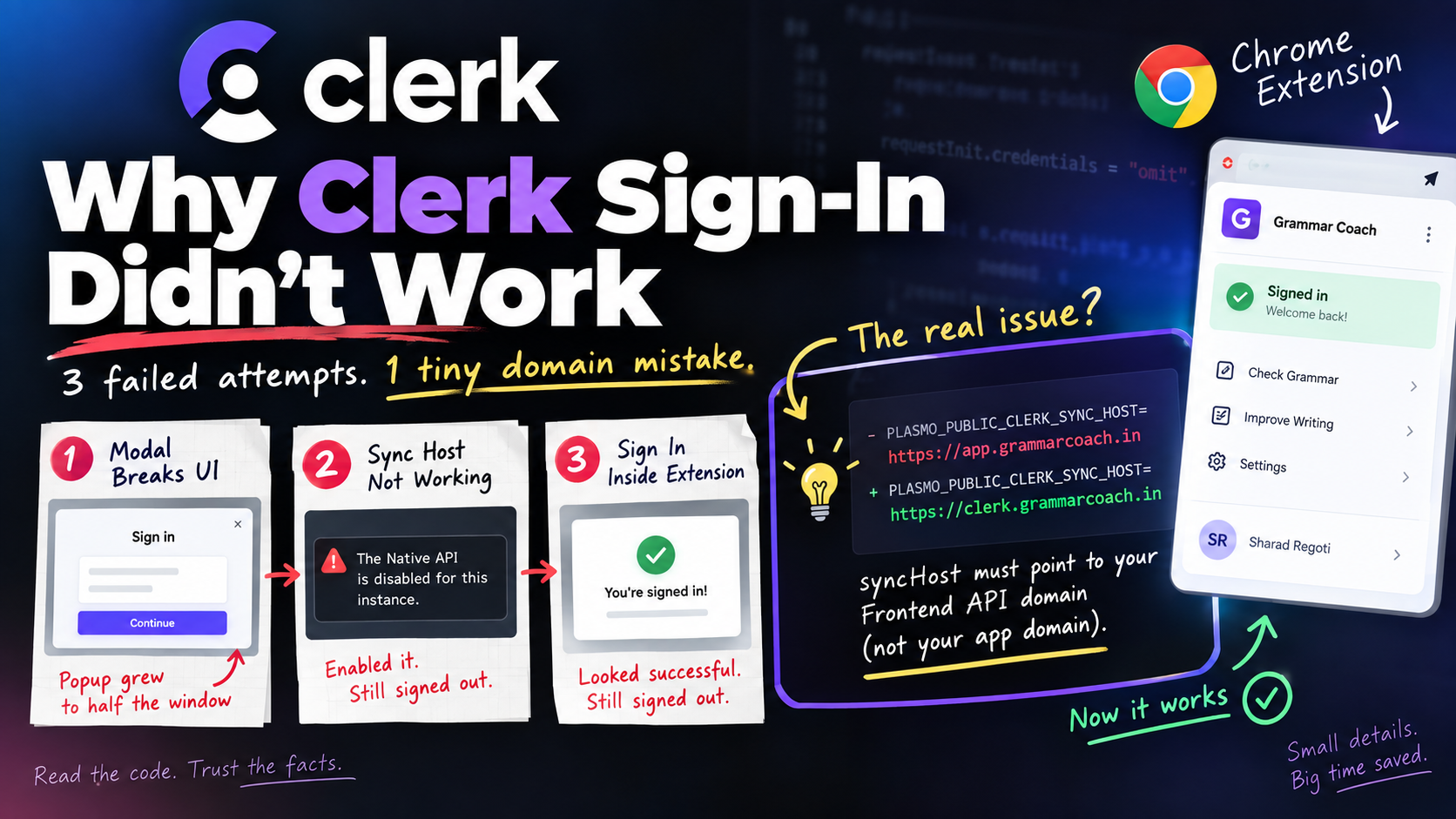
syncHostpointed at your actual Frontend API domain, not your companion app’s domain. I had it pointed at the wrong one, so the SDK silently fell back to a cookie-based session mode that can never work inside an extension (the fetch layer sendscredentials: "omit"on every request). Sign-in looked like it worked. It didn’t.
Building Grammar Coach, I needed accounts in the Chrome extension. I already use Clerk for the companion web app, and @clerk/chrome-extension exists for exactly this. Figured an afternoon. Took most of a day and three attempts.
Attempt 1: the modal that ate the popup
Clerk’s quickstart drops a <SignInButton mode="modal" /> into the popup. I did that. The popup, normally a tidy 280px box, ballooned to cover half the window.
Cause: the modal renders through a React portal on document.body, not inside whatever div you wrapped your own UI in. Nothing constrains it, and a Chrome extension popup auto-sizes to fit body, so the window grows to match the modal instead of my layout. Also just bad UX for anything multi-step, since the popup closes the second you click away.
Attempt 2: Sync Host
Clerk’s recommended pattern: set syncHost on ClerkProvider, point it at your web app, and an already-signed-in session there gets picked up automatically. No sign-in UI needed in the extension at all.
Wired it up. Sign in on the app, reopen the popup: still signed out. First error was at least legible:
The Native API is disabled for this instance. Visit the Clerk Dashboard to enable it.
A dashboard toggle fixed that. Still signed out after. Checked the obvious things: publishable key matches byte-for-byte, extension origin is in allowed_origins, fresh reinstall, tested in both Brave and plain Chrome to rule out cookie blocking. Same result everywhere.
Attempt 3: sign in inside the extension itself
Gave up on Sync Host and built a page bundled with the extension (tabs/sign-in.html), rendering <SignIn> directly, no syncHost. Reasoning: chrome.storage.local is shared across every extension page already, so a session written there should just be visible everywhere.
Signed in. Tab showed success, closed itself. Reopened the popup: signed out. Again.
What was actually happening
createClerkClient sets a flag off whether syncHost was passed:
standardBrowser: !syncHost
No syncHost → cookie-based session handling, same as a regular web app. Except background.ts sends every request with:
requestInit.credentials = "omit"
So cookies never round-trip, and nothing ever gets persisted. Sign-in genuinely completes in memory, which is why the tab looked successful, but the chrome.storage.local write only happens in the other mode, the one you only get by setting syncHost. My “avoid the unreliable sync entirely” plan was backwards: syncHost isn’t optional, it’s what makes storage work at all.
So it had to go back on. But it was already set in attempt 2, and that failed too. Which meant the domain was wrong.
I checked directly with Chrome DevTools Protocol:
Network.getCookies({ urls: ["https://app.grammarcoach.in", "https://clerk.grammarcoach.in"] })
__client, the cookie Clerk’s SDK looks for, was sitting on clerk.grammarcoach.in (my Frontend API domain), not app.grammarcoach.in (the companion app), which is where I’d pointed syncHost the whole time. It’s also httpOnly, so only the extension’s privileged chrome.cookies API can even read it.
- PLASMO_PUBLIC_CLERK_SYNC_HOST=https://app.grammarcoach.in
+ PLASMO_PUBLIC_CLERK_SYNC_HOST=https://clerk.grammarcoach.in
Kept the in-extension sign-in tab from attempt 3, fixed the domain, worked first try.
Takeaway
Clerk’s demo repo describes syncHost as “matching the web app in this repo,” which reads as “point it at your companion app.” True for their demo, where everything shares Clerk’s default domains. Not true once I added a custom Frontend API domain separate from the app domain. Nothing in the errors ever said “wrong domain.” It just said “signed out,” forever.
Three approaches failed for one shared root cause. What actually ended it was reading the SDK source instead of the docs’ summary of it, and checking Chrome’s own APIs instead of guessing at cookie behavior from outside. A second model looked at the same code independently and landed on the same mechanism, which is what finally made me trust it enough to stop guessing.